A home-based business can face more than one privacy rule. Protecting your home privacy as a business owner starts with understanding what information your business collects and which laws may apply. The United States has no comprehensive federal privacy law, but the FTC Act and state or industry-specific rules can still shape how you handle customer data.
It’s reasonable to want a clear boundary between your business and personal life. Knowing what counts as personally identifiable information, such as details that can identify someone, and sensitive information, which can carry greater privacy risks, helps you see where that boundary needs protection. This article explains the federal, state, and sector-specific laws small businesses may encounter, including when rules can reach businesses operating outside the state or region where a law was enacted. You’ll also learn how handling information at home connects to your business’s privacy responsibilities.
Key Takeaways
- Identify which federal, state, and industry-specific privacy laws may apply by looking at the information your business handles and who it serves.
- Separate your public-facing business details from your home address to reduce unnecessary exposure to customers and online searches.
- Understand how registration records and licensing filings can make an address searchable, and consider address options before submitting paperwork.
- Find out how to locate data broker listings and use their removal or opt-out processes to limit the circulation of your personal information.
- Explore whether a Virtual Office, Private Office, or Executive Suite could give your business a professional address separate from home.
1. Privacy laws that may apply to small businesses
Small businesses in the United States must consider more than one privacy framework. There’s no comprehensive federal privacy law, so the rules that matter often depend on the data collected, the people it concerns, and the business’s activities.
The FTC Act governs, in part, how U.S. businesses handle customer data. The Federal Trade Commission may take enforcement action when a company fails to follow its stated data-protection policies. A home-based business should make its actual practices match its privacy statements, including how it handles customer names, addresses, and payment details.
California’s Consumer Privacy Act (CCPA) and California Privacy Rights Act (CPRA) are among the most prominent rules for small businesses. The CCPA could affect a business even if it doesn’t operate in California. Its penalties can reach $7,500 per violation, and it provides a private right of action for certain data breaches. The CCPA also requires privacy training for some employees.
Other rules may depend on a business’s location or industry. The Illinois Biometric Information Privacy Act (BIPA) could affect a business even if it doesn’t operate in Illinois. Businesses handling biometric identifiers should treat that information as a distinct privacy concern. The European Union says the General Data Protection Regulation (GDPR) applies to businesses that collect or process personal data from EU residents.
Health and education records can bring additional obligations. Organizations working with protected health information are subject to HIPAA, according to the U.S. Department of Health and Human Services. The Family Educational Rights and Privacy Act may apply to businesses working in education. Businesses that collect credit card information as payment are subject to PCI-DSS rules.
These rules focus on information and business activities, not simply on whether work happens at home. Personally identifiable information can identify a person, such as a name linked to an address. Sensitive information can create greater privacy risks if exposed, such as health or biometric data. Keep business records separate from personal files, restrict access, and avoid collecting details your service doesn’t need.
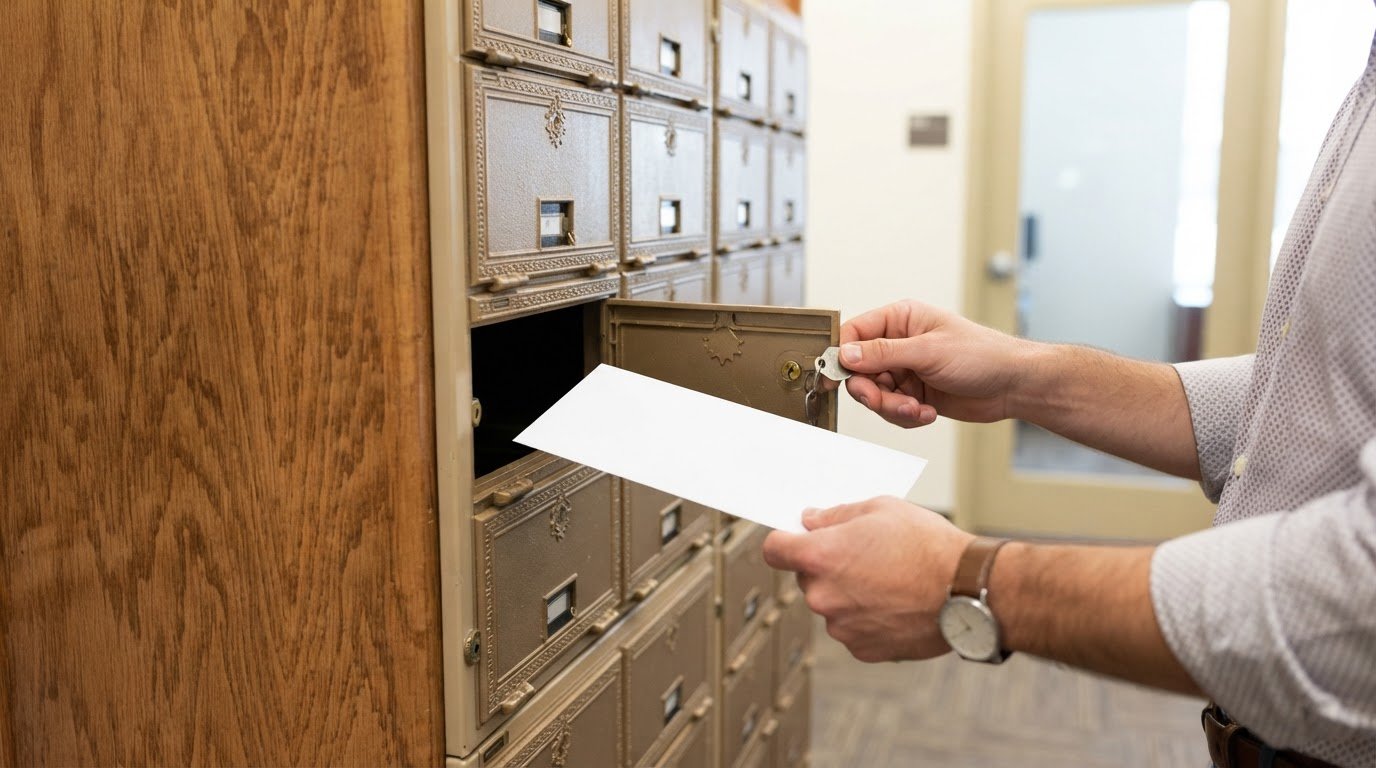
A USPS PO Box can provide a mailing address, but it may not satisfy forms that require a physical street address. A commercial mailbox may offer a street-style mailing address. Check whether the specific form accepts that address type before using it.
To protect your home address on websites, invoices, social media, and online marketplaces, use a business mailing address wherever the platform permits. Review public profiles and invoice templates, remove home details from posts, and use the platform’s privacy settings. Keep required legal or account records accurate, but don’t publish your residential address as routine customer contact information.
3. How can business owners keep their home address private from customers and the public?
Start by mapping where your residential address appears in business records. Review your website, invoices, email signature, social profiles, marketplace listings, and customer forms. A single old template can expose details you removed elsewhere. Make a simple inventory, then update each public-facing location with a dedicated business mailing address where accepted. Protecting your home privacy as a business owner starts with knowing exactly where your address appears.
Use separate contact details for business and personal life. Add a business phone number and email to customer-facing profiles instead of listing personal contact information. On an invoice, show the business name, payment instructions, and appropriate mailing details. Before sending a document, inspect its header, footer, and return-address field for your home location.
Website owners can review the contact page, privacy notice, downloadable forms, and domain registration settings. Replace residential details in public text with a business contact address. Check image files too: a photo of a shipping label or desk document can reveal an address even when the page text doesn’t. Remove the image or crop out private details before publishing.
Social media needs a separate review. Set personal profiles to private where appropriate, and remove home-location details from business biographies. Avoid posting photos that show street signs, house numbers, mail, or recognizable views. For example, photograph a product against a neutral background instead of displaying it beside a labeled package.
Online marketplaces may require seller contact or return information. Review each platform’s seller profile and customer-facing policies before listing products. Use an accepted business mailing address for returns when the platform allows it. Keep shipping and return labels consistent, since either one can show your home address.
Take these steps when changing existing records:
- Search your business name alongside your address in a search engine, then record the pages that display it.
- Update websites, invoices, social accounts, and marketplace profiles individually.
- Replace saved templates and automated messages, including order confirmations and receipts.
- Ask employees who publish posts or issue invoices to use the approved business contact details.
- Repeat the review after a rebrand, move, or change to your customer process.
Keep legal and financial records accurate, but separate private files from public marketing materials. Store tax documents, licenses, and customer records in restricted business folders. Don’t upload a document publicly just to prove business legitimacy; share only the details a platform or customer needs. Protecting your home privacy as a business owner also means limiting what you publish and where you store sensitive records.
A dedicated business address can help separate customer correspondence from home mail. Explore business address options as part of a broader plan for keeping public contact details distinct from your household information.
4. What business registration options protect a home address in the United States?
A registration choice alone doesn’t automatically keep a residential address private. Decide which address belongs in each field before filing. A state form may request a principal office, mailing address, or registered agent address. These fields can serve different purposes. Read each label, and don’t assume one address can replace another.
A separate business mailing address can keep routine correspondence away from home. A business mailbox may receive company mail and provide a dedicated address for customer-facing materials. Before entering it on a registration form, read the instructions. A mailing address accepted for correspondence may not meet a field’s requirements for a physical business location.
A USPS PO Box is another option for receiving mail, but it isn’t a universal substitute for a street address. As noted above, form requirements matter. For registration, distinguish the address used to receive notices from any location or agent details the filing requests. Use each address only for the purpose the form allows.
Some business owners appoint a registered agent to receive official documents. Keep that role separate from a business mailing address. If a filing asks for an agent’s name and address, enter the information required for that field. Don’t list a mailbox as the agent’s address unless the applicable form permits it.
Before filing, make an address map for the business:
- Mailing address: Choose where routine business mail should arrive, such as a dedicated business mailbox.
- Principal office: Identify the location the form requests, and follow its stated field instructions.
- Registered agent: Use the designated agent’s details when the filing includes that separate field.
- Public contact address: Select the business address intended for customers, invoices, and website contact details.
For example, a home-based consultant might use a business mailbox for correspondence while completing separate location and agent fields as requested. This helps prevent accidental substitutions. It doesn’t change the need to provide accurate information in required registration fields.
Review the public record after filing. Search the business name in the relevant state’s business-record system and note which address appears. If a document exposes a home address, identify the specific filing and address field before seeking an amendment. Updating a website or invoice won’t alter an address already recorded in a government filing.
Keep a copy of each submitted form and its instructions. When renewing a registration or changing business details, compare the new fields with your address map. This helps maintain a consistent distinction between home, mailing, agent, and customer-contact addresses.
Regularly update and patch software to address known vulnerabilities. The California Consumer Privacy Act is described as the only state law with a private right of action for certain data breaches.
5. Which business filings and licenses make a home address publicly searchable?
Start with filings that create or update a business record. A formation document submitted to a state agency may include a principal office, mailing address, organizer, or registered agent. Which fields appear publicly depends on the form and jurisdiction. For example, a home address entered as the principal office could appear in a state business-entity search.
Annual or periodic reports can expose details again. These filings may ask a business to confirm or update its address and contact information. If a report repeats the residential address, the updated record may continue displaying it. Review the exact fields before submitting each report, then note which address appears in the public record.
Trade-name filings create another place to look. A sole proprietor using a name different from their legal name may file a fictitious business name or assumed-name record. Filing offices and public access rules vary by jurisdiction. Search the business name in the relevant state, county, or local record system to see which address is displayed.
Licenses and permits can also collect business details. A local business license, professional license, health permit, or home-occupation application may request an address. Some records may be searchable online, while others are handled differently. For example, a consultant’s city license and a contractor’s professional credential may involve separate offices and records.
Keep address roles distinct while reviewing forms:
- Principal office: The form may request the business’s primary location.
- Mailing address: This field may identify where correspondence should be sent.
- Registered agent: A filing may request a separate contact for official documents.
- Owner or license holder: An application may identify the individual responsible for the business.
Don’t assume a mailing address replaces a physical-location field. A state filing, city permit, and professional license can each define address fields differently. Read the instructions for each form, and use an address only for a purpose the form accepts. This avoids confusing a correspondence address with a location requested for another reason.
To find exposed records, search your exact business name and owner name in the relevant state’s business database. Then search county clerk, city licensing, and professional licensing records. Record the filing title, office, address field, and any update process shown. This creates a focused correction list instead of prompting broad, ineffective address changes.
If a record displays your residence, identify the office that maintains it. Ask about its amendment or address-update process, and keep copies of submitted forms. Updating your website won’t change a government record. Check related filings too, since an older license or assumed-name filing may still show the previous address.
5. How can business owners remove their home address from data broker and people-search websites
Begin with a focused search. Look up your name, business name, and home address separately. Try common variations, including initials, former names, and abbreviated street names. Record each people-search page that displays your address. Save its listing title, profile details, and removal instructions so you can track requests without searching again.
Before submitting an opt-out request, match the listing to your information. A shared name can produce profiles for several people. Compare details such as age range, past locations, relatives, or business affiliations. Don’t submit someone else’s profile by mistake. Use only the personal information the site requests to identify the correct record.
Follow each website’s published removal process. Look for links labeled “privacy,” “opt out,” “remove my information,” or “do not sell or share.” The process may ask you to complete a form or confirm your request by email. Keep a dated record of the page, steps completed, and any confirmation message.
Use a simple tracking sheet for each listing:
- Website: Record the site name and the profile’s identifying details.
- Request: Note the date submitted and the removal option used.
- Confirmation: Save the response or reference number provided.
- Follow-up: Revisit the listing and note whether the address remains visible.
Some people-search sites may have different processes for different records. Follow the instructions attached to the specific profile rather than assuming one request covers every listing. If a form asks for identification, review what information it requires. Provide only what the process requests, and use any available field to limit unnecessary details.
Search again after submitting requests. A profile can remain visible while a site processes a request, or a similar listing may appear under another name variation. If the address is still shown, check whether the site provides a request-status page or a way to follow up. Keep your record current instead of repeating the same request without reviewing its status.
Removal from a people-search page doesn’t change the source record that supplied the address. If a public business filing or old website still displays your residence, update that source where possible. Then revisit broker listings, since the address may continue appearing in searches until the underlying information changes.
To reduce future exposure, use a separate business mailing address for new customer-facing records where accepted. Explore separate business address options as one practical step in keeping business correspondence distinct from home mail.
After correcting public listings, audit business data collection and storage, and remove information that isn’t necessary. Businesses should encrypt sensitive data both at rest and in transit, including website traffic and backups. Businesses should handle user data carefully and protect stored personal information.
Verizon’s 2026 Data Breach Investigations Report found that 96% of ransomware victims were small and medium-sized businesses. IBM’s 2026 benchmark Cost of a Data Breach report said average U.S. data breach costs rose 13% over 2025. The Orange County Sheriff's Office advises against keeping safes in bedrooms because burglars search there first.
Citizens Business Center
Citizens Business Center offers practical ways to separate business activity from home life. A Business Mailbox can give business correspondence a distinct destination, while a Virtual Office or Private Office can support a more professional business presence in Sacramento. These options can reduce routine reliance on your residential address, but they don’t replace accurate information on filings that require a specific address.
Consider these offerings when customer mail, meetings, or day-to-day work regularly bring business activity into your home. Choose the arrangement that fits how you communicate with clients and handle business correspondence. Contact Citizens Business Center to discuss an appropriate option.
Build a More Private Foundation for Your Business
Protecting your home privacy as a business owner can be an ongoing part of shaping your business, not a one-time task. As customer relationships and operations evolve, decide which parts of your professional presence should remain separate from home. That intention can guide choices about where you work, how you receive business correspondence, and how clients connect with you.
Citizens Business Center offers Private Offices, Executive Suites, and Virtual Office options for businesses seeking a more distinct professional presence in Sacramento. Choose the arrangement that fits how you work and interact with customers. A considered setup can help create a clearer boundary between your business identity and personal life.
Contact Citizens Business Center to discuss a suitable next step. With a thoughtful plan in place, you can move forward with greater clarity and focus.
Frequently Asked Questions
Can I use a registered agent or virtual business address instead of my home address?
Sometimes, but a registered agent and a virtual business address serve different purposes. A registered agent receives official documents, while a Virtual Office provides a business address and mail handling. Whether either address can replace your home address depends on the specific field and filing instructions. For example, a form may distinguish the agent’s address from the business’s principal location. Use each address only where the form permits it.
What are the USPS rules for using a PO box or commercial mailbox as a business address?
A USPS PO Box can receive mail but may not meet a form’s requirement for a physical street address. A commercial mailbox may provide a street-style mailing address. Check whether the specific form accepts it, and use each address only for the field’s stated purpose.
What privacy risks come from using a home address for business banking, taxes, and insurance?
If your home address appears in registration or licensing filings, it may become searchable. Keep tax and other financial records accurate but separate from public-facing materials, and avoid publishing your residential address as routine business contact information.